這張 cover 圖好像太花了,但今天的產圖額度用完了 QAQ
每個 Natas 關卡都對應一個獨立的網站,玩家需要使用當前關卡的帳號與密碼登入,我們有用盡各種手段,來找出下一關的密碼。Natas 每個關卡主要使用 Basic Authorization 作為驗證,帳號是 natas + <關卡>,密碼則是前一關找到的密碼啦!
Basic Authentication
Basic Authorization(基本驗證)是 HTTP 協定中最簡單的一種身份驗證方式,用來限制使用者存取網站資源。它的核心概念很直接:每次請求時都附帶帳號與密碼,讓伺服器驗證你是誰。
他的傳送方式也很簡單,就是把 <username>:<password> 編碼為 Base64,並且放在 HTTP Header 當中:
1
| Authorization: Basic base64(username:password)
|
Natas0 -> Natas1
http://natas0.natas.labs.overthewire.org
關卡 0 的描述頁面當中有帳號與密碼,分別是 natas0 與 natas0,透過瀏覽器打開的話,會有瀏覽器的提示要求輸入帳號密碼。
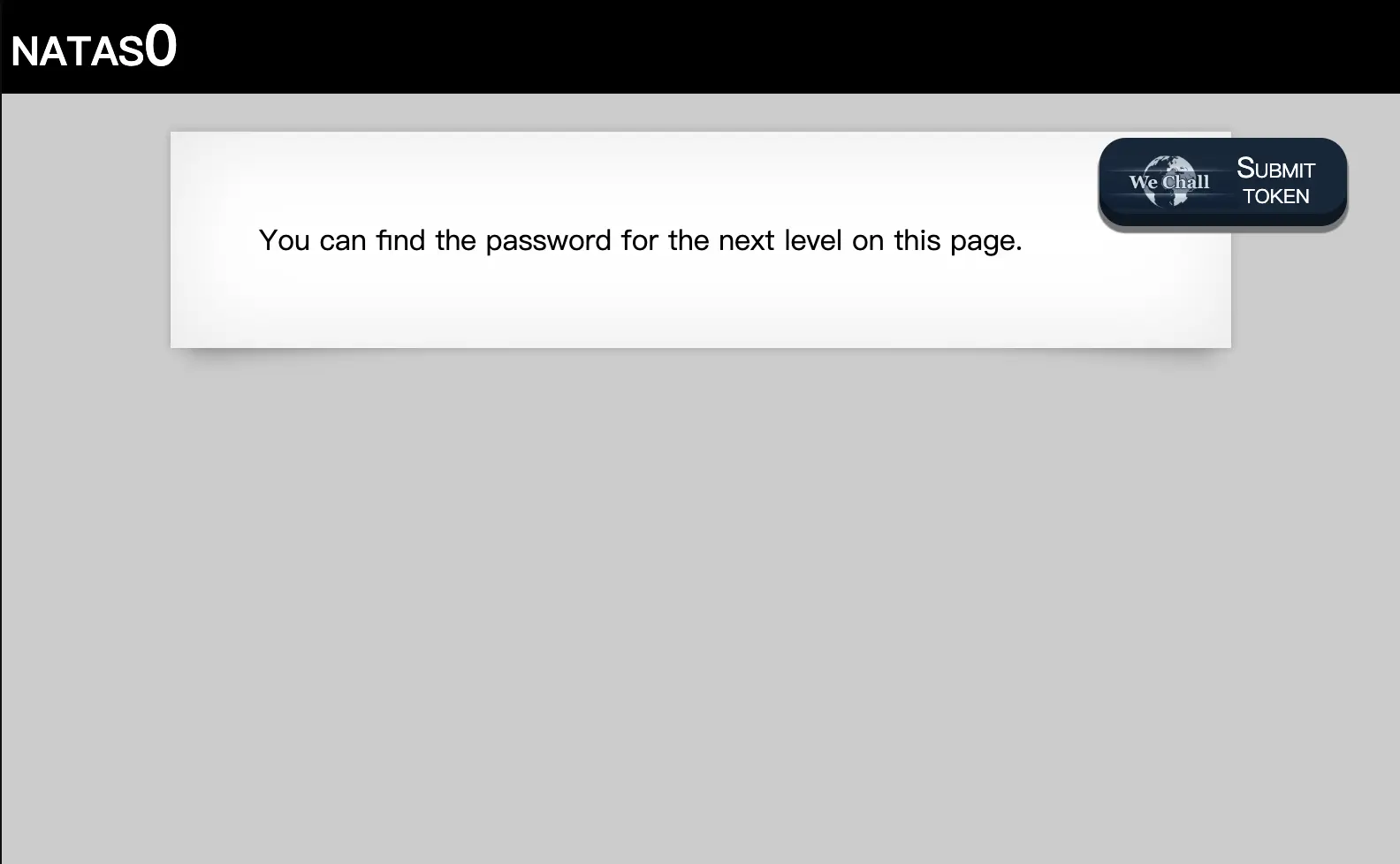
看到空空如也的介面,我想大部分對資訊領域的人類都會下意識地打開 Inspect 或是 source code,沒錯密碼就藏在 HTML 原始碼的註解當中,這關就算是解完了。
但這邊可以補充一下,我們可以用 cURL 的指令來完成請求,並直接看到原始碼:
 1
 2
 3
 4
 5
 6
 7
 8
 9
10
11
12
13
14
15
16
17
18
19
20
| $ curl -u natas0:natas0 http://natas0.natas.labs.overthewire.org
<html>
<head>
<!-- This stuff in the header has nothing to do with the level -->
<link rel="stylesheet" type="text/css" href="http://natas.labs.overthewire.org/css/level.css">
<link rel="stylesheet" href="http://natas.labs.overthewire.org/css/jquery-ui.css" />
<link rel="stylesheet" href="http://natas.labs.overthewire.org/css/wechall.css" />
<script src="http://natas.labs.overthewire.org/js/jquery-1.9.1.js"></script>
<script src="http://natas.labs.overthewire.org/js/jquery-ui.js"></script>
<script src=http://natas.labs.overthewire.org/js/wechall-data.js></script><script src="http://natas.labs.overthewire.org/js/wechall.js"></script>
<script>var wechallinfo = { "level": "natas0", "pass": "natas0" };</script></head>
<body>
<h1>natas0</h1>
<div id="content">
You can find the password for the next level on this page.
<!--The password for natas1 is ******************************** -->
</div>
</body>
</html>
|
Natas1 -> Natas2
http://natas1.natas.labs.overthewire.org
接著來到第 1 關,網站把滑鼠右鍵選單給擋住了,根據我之前在社團的經驗來看,我覺得對於大部分的人好像沒有影響,因為大家打開 Inspect 都是按 F12,好像也不用右鍵選單。在 Mac 上對於 Chromium 的使用者可以用 opt + cmd + c 來開啟,我也就不列舉各個系統與瀏覽器了,直接沿用 Natas0 的解法即可。
 1
 2
 3
 4
 5
 6
 7
 8
 9
10
11
12
13
14
15
16
17
18
19
20
21
| $ curl -u natas1:******************************** http://natas1.natas.labs.overthewire.org
<html>
<head>
<!-- This stuff in the header has nothing to do with the level -->
<link rel="stylesheet" type="text/css" href="http://natas.labs.overthewire.org/css/level.css">
<link rel="stylesheet" href="http://natas.labs.overthewire.org/css/jquery-ui.css" />
<link rel="stylesheet" href="http://natas.labs.overthewire.org/css/wechall.css" />
<script src="http://natas.labs.overthewire.org/js/jquery-1.9.1.js"></script>
<script src="http://natas.labs.overthewire.org/js/jquery-ui.js"></script>
<script src=http://natas.labs.overthewire.org/js/wechall-data.js></script><script src="http://natas.labs.overthewire.org/js/wechall.js"></script>
<script>var wechallinfo = { "level": "natas1", "pass": "********************************" };</script></head>
<body oncontextmenu="javascript:alert('right clicking has been blocked!');return false;">
<h1>natas1</h1>
<div id="content">
You can find the password for the
next level on this page, but rightclicking has been blocked!
<!--The password for natas2 is ******************************** -->
</div>
</body>
</html>
|
Natas2 -> Natas3
http://natas2.natas.labs.overthewire.org
來到關卡 2,一如既往的空空如也,好吧!看原始碼:
 1<html>
 2<head>
 3<!-- This stuff in the header has nothing to do with the level -->
 4<link rel="stylesheet" type="text/css" href="http://natas.labs.overthewire.org/css/level.css">
 5<link rel="stylesheet" href="http://natas.labs.overthewire.org/css/jquery-ui.css" />
 6<link rel="stylesheet" href="http://natas.labs.overthewire.org/css/wechall.css" />
 7<script src="http://natas.labs.overthewire.org/js/jquery-1.9.1.js"></script>
 8<script src="http://natas.labs.overthewire.org/js/jquery-ui.js"></script>
 9<script src=http://natas.labs.overthewire.org/js/wechall-data.js></script><script src="http://natas.labs.overthewire.org/js/wechall.js"></script>
10<script>var wechallinfo = { "level": "natas2", "pass": "********************************" };</script></head>
11<body>
12<h1>natas2</h1>
13<div id="content">
14There is nothing on this page
15<img src="files/pixel.png">
16</div>
17</body></html>
這裡出現了一張位於 files/pixel.png 的圖片,因此可以合理猜測網站存在一個 files/ 目錄。
許多早期網站若沒有正確關閉 Directory Listing(目錄列舉),直接存取目錄路徑時,伺服器就會列出該目錄底下的所有檔案。
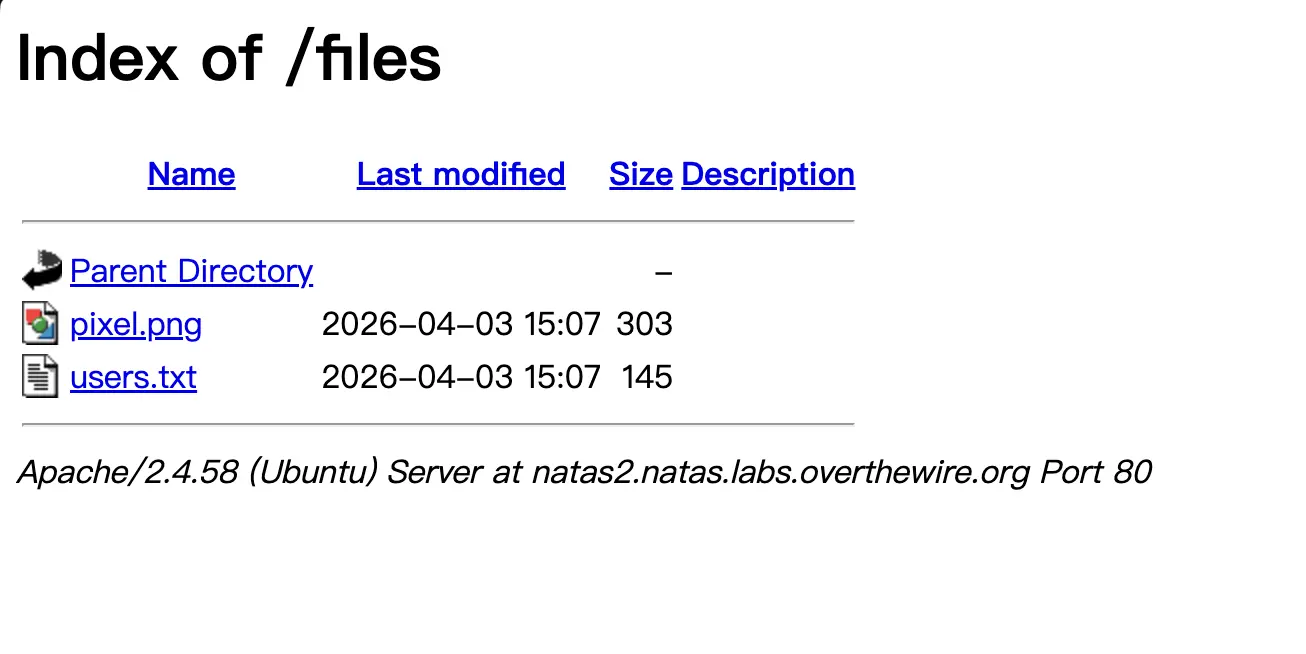
這裡有一個 user.txt 的檔案,就不客氣地點進去看囉!
1
2
3
4
5
6
7
| # username:password
alice:BYNdCesZqW
bob:jw2ueICLvT
charlie:G5vCxkVV3m
natas3:********************************
eve:zo4mJWyNj2
mallory:9urtcpzBmH
|